March 30th, 2026
Analysis Reports
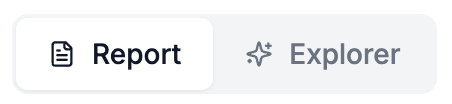
We just rolled out the first version of a Reports feature for our data analysis Discover Tab. The existing discover tab UI has been moved to the Explorer View and will not be complemented with a Report View featuring a downloadable report. The report will serve as a jumping off point for deeper data exploration by giving users a high level summary of the findings as well as some more detailed key insights. More sections and functionality are planned for the report feature so keep your eyes peeled.
Analysis Snapshots
We have started to use the term Snapshot to refer to a single analysis (previously they were called versions) as it more accurately describes the nature of the data analysis as a snapshot of a particular set of data.
Snapshot Customization
We now have two new ways to customize your analysis snapshot! You can now either select “All Interviews” (default) or filter by “Date Range” when creating an analysis snapshot. When the Date Range filter is used, only interviews from that time period will be included in the analysis snapshot.
Additionally there’s a new “Context and Objective” field (under Advanced Options) which you can use to pass some additional background or goals to the analysis process. Adding custom instructions here can help guide the analysis process if you have specific interests or areas you want to explore.
