Interview Webhooks
Get notified about interviews
Written By Get Reveal
Last updated 5 months ago
RevealAI can automatically POST interview data to a configured webhook URL when interviews reach certain statuses. This enables real-time integration with external systems like Salesforce, Zapier, or custom applications.
Configuration
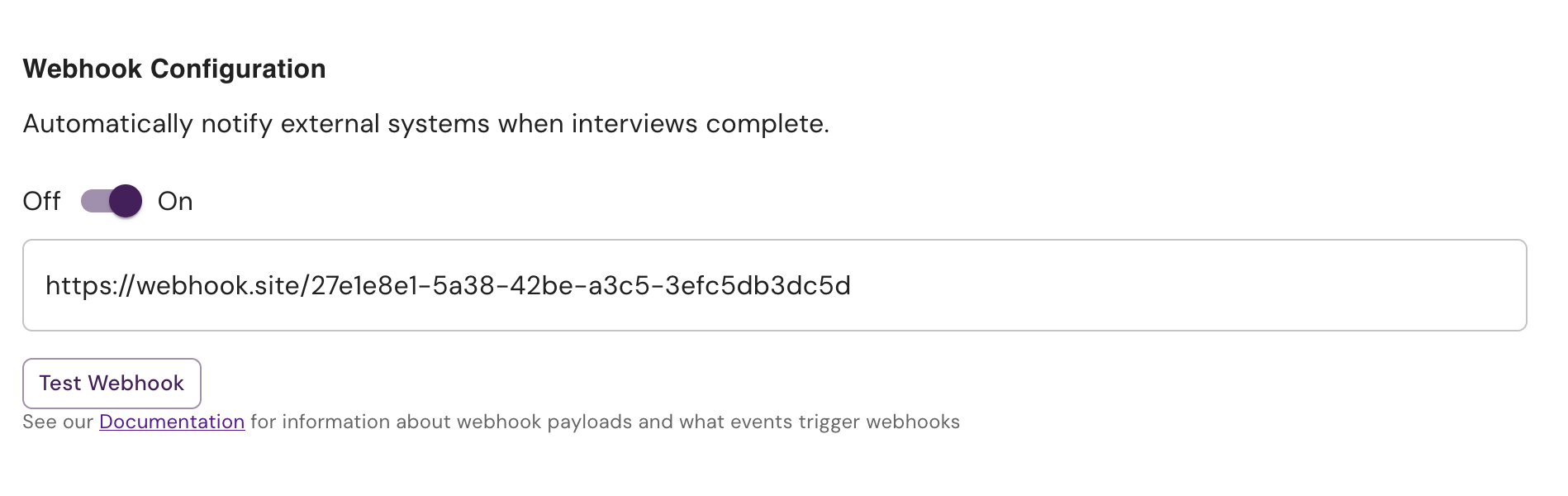
Webhooks are configured per chatbot in the chatbot settings
When Webhooks Are Sent
Webhooks are triggered automatically during interview post-processing for three event types:
1. interview.complete
Triggered when: A respondent successfully completes the full interview.
2. interview.incomplete
Triggered when: An interview expires due to inactivity and is automatically marked incomplete. Interviews are marked incomplete after 24 hours of inactivity
3. interview.screened
Triggered when: A respondent is screened out by the AI screener feature.
Webhook HTTP Request
The request is sent via an HTTP POST with the following format
Headers
Content-Type: application/jsonUser-Agent: RevealAI-Webhooks/1.0
Timeout
Requests timeout after 10 seconds if no response is received.
Payload Structure
Test Payload Example
{
  "event": "interview.complete",
  "timestamp": "2026-05-21T17:59:11.492Z",
  "interviewId": "test_interview_id",
  "rtid": "test_rtid",
  "status": "COMPLETE",
  "startedAt": "2026-05-21T17:54:11.492Z",
  "chatbotId": "test_chatbot_id",
  "chatbotName": "Test Chatbot",
  "attributes": [
    {
      "key": "name",
      "value": "Test User",
      "valueTitle": "Test User",
      "keyTitle": "Full Name"
    },
    {
      "key": "email",
      "value": "test@example.com",
      "valueTitle": "test@example.com",
      "keyTitle": "Email Address"
    },
    {
      "key": "8skfg7d",
      "value": "ij12kg",
      "keyTitle": "Job Role",
      "valueTitle": "Software Developer"
    }
  ],
  "transcript": [
    {
      "sender": "BOT",
      "message": "Hello World! How are you?",
      "timestamp": "2026-05-21T17:59:11.492Z"
    },
    {
      "sender": "USER",
      "message": "I'm fine thank you",
      "timestamp": "2026-05-21T17:59:11.492Z"
    }
  ]
}
Root Level
Interview Object
Chatbot Object
Attributes Array
An array containing attribute objects
key: unique identifier of the attributekeyTitle: Readable version of the key (may be the same askey)value: unique identifier of the attribute valuevalueTitle: Readable version of the value (may be the same asvalue)
Transcript Array
Array of message objects in chronological order:
Retry Logic
Our system will automatically attempt to deliver it’s payload to your configured URL 3 times with exponential backoff (1 second, 2 seconds, 4 seconds) between failed attempts.
Retries are triggered for:
HTTP 5xx errors (500-599 status codes)
Timeouts (no response within 10 seconds)
Connection errors (DNS failure, connection refused, network errors)
When Retries Do NOT Occur:
HTTP 4xx errors (400-499 status codes) - These indicate client/configuration errors and are permanent failures
Expected Response
Success Response
Your webhook endpoint should respond with any 2xx status code (200-299) to indicate success.
The response body is optional and not parsed by RevealAI.
Example:
HTTP/1.1 200 OK Content-Type: application/json { "received": true } Testing Webhooks
Use the "Test Webhook" button in the RevealAI dashboard to send a sample payload to your endpoint. Webhook.site is a great resource for this, it provides a URL you can copy and use as your webhook target, then lets you inspect all webhook traffic to that URL
Was this helpful?
Still need help? Ask the team